Start from a Pre-built Base Model
Fast Setups with Pre-built Base Models
scenarify offers pre-built setups for entire countries and cities, enabling you to quickly dive into scenario-based planning. These base models serve as a comprehensive foundation, while still giving you the flexibility to add or replace local details as needed.
To start with a pre-built model, simply select the appropriate "New ..." option from the Project Menu and define your Simulation Domain within the chosen region. For a detailed walkthrough, refer to the Quick Start Tutorial, which uses the federal state of Nordrhein-Westfalen, Germany as an example.
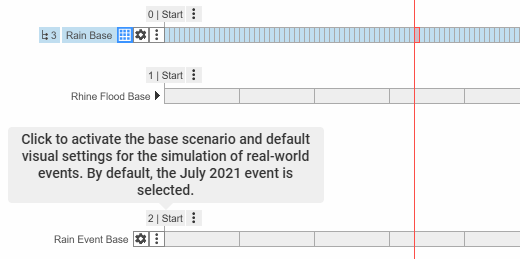
Base models come with one or more base scenarios, each featuring “Start” bookmarks that include preset perspectives and visuals. It's recommended to branch off from a base scenario before drawing your first simulation domain.
Local Data Replacements
When you have more detailed data for a specific location within a base model region, scenarify allows you to replace the base model data locally.
For instance, you can incorporate higher-resolution terrain data or simulate planned changes in local land use or built environment. This is achieved using Actions from the Replace Data category.
The main advantage of using local data replacements, instead of building a new model from scratch, is that you preserve the surrounding model environment, which seamlessly integrates with your updated local data. For instance, spatially-varying rainfall from the base model can flow naturally into your area of interest, providing a more realistic simulation context.
Example Use Case: Evaluating Architectural Plans
In this example, we evaluate a planned land use and terrain change to assess drainage performance during heavy rain for a proposed office building and parking lot. The goal is to avoid expanding the sewer network. This analysis is carried out using a heavy rain simulation based on an urban model of the city of Cologne. We'll create two scenarios to compare the current conditions with the proposed development:
- Current Status Scenario: This scenario reflects the existing conditions. Start by drawing a Simulation Domain in the study area and set up rain parameters, for example, by auto-deriving rainfall data from the KOSTRA dataset.
- Planned Scenario: Building on the current status scenario, this scenario introduces the planned changes to land use, terrain, and buildings using actions from the Replace Data category:
- Start with the Replace Terrain action. Click in the center of the study area and select the appropriate raster file in the Action Settings Panel. Use the Reset Mask to File Bounds option to match the mask with the file's bounds. The terrain within this mask will be replaced by the new data.
- Next, create a Replace Landuse action. Optionally, reuse the terrain mask by assigning the land use action to it. Without a landuse shape file, the action will erase the base model’s land use within the mask. To replace it, select a landuse shape file that uses the same vocabulary as the base model.
- Repeat this process for other elements like buildings, using the Replace Buildings action.
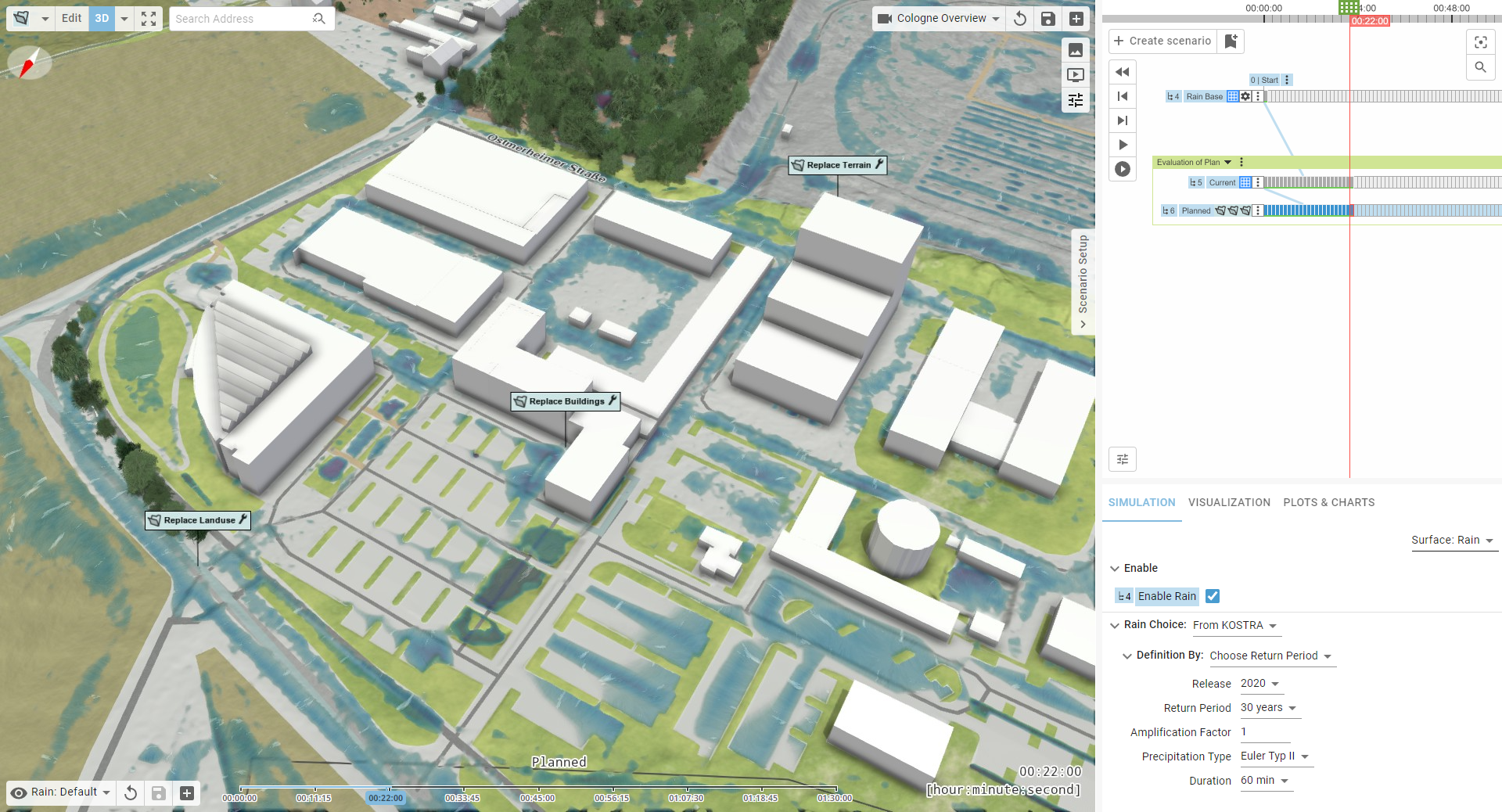
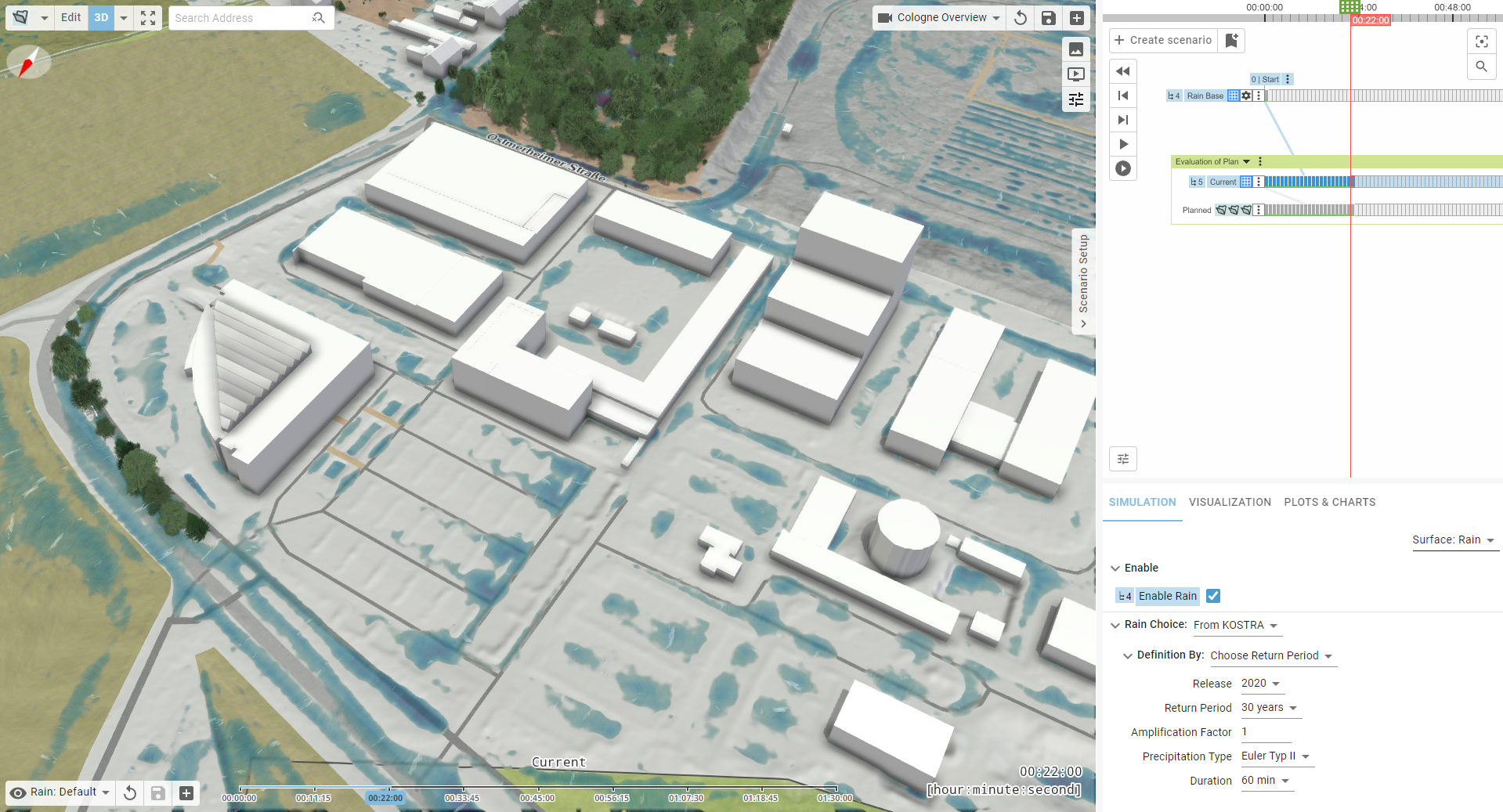
Hint: Replace Data actions are not exclusive to base models. When building larger models from scratch, you can use them to test local changes in the environment by loading data from files, just as you would with manually drawn actions.
Changing Data Globally
Base models in scenarify come with pre-configured datasets for terrain, land use, buildings, and more. These are indicated by settings labeled "Automatic" in the Simulation Settings Panel and Visualization Settings Panel. As base models evolve over time—for instance, with newly available terrain data—scenarify offers a version selector. This lets you choose between different dataset versions:
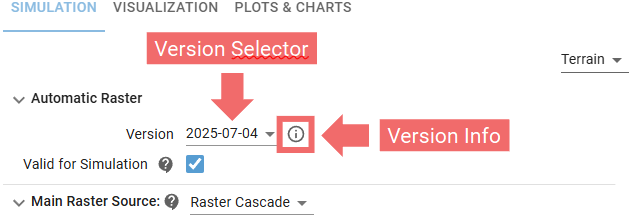
Each version is clearly labeled by date and accompanied by relevant information that can be revealed with a mouse click:
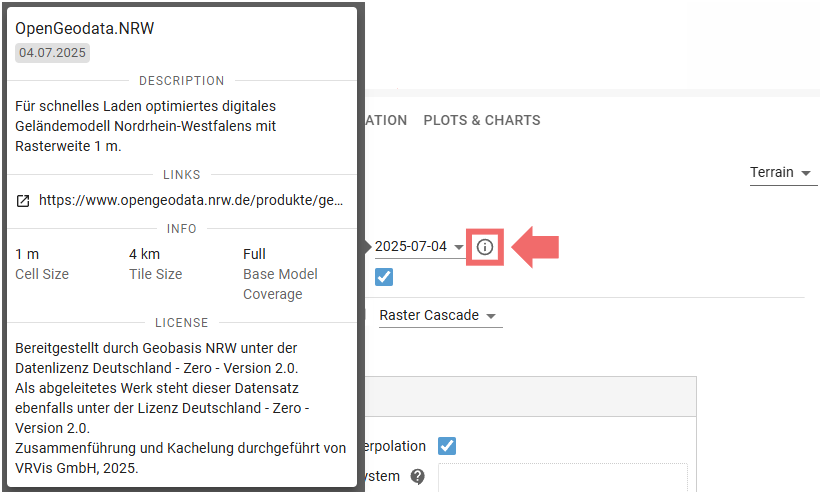
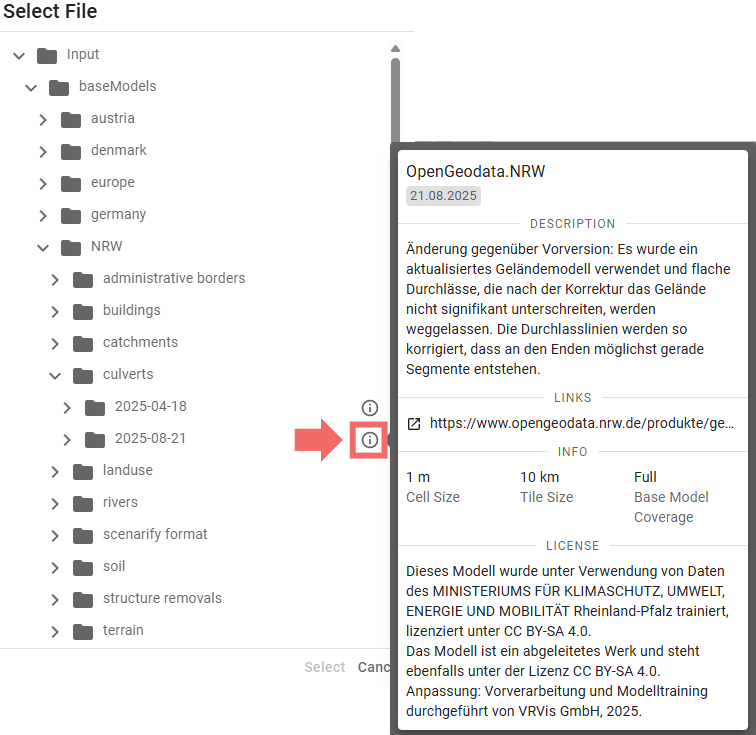
Version information is also accessible through the file selector widget, when available:
If you want to override the automatic data with your own data, scenarify handles vector and terrain data differently:
-
Vector Data (e.g., land use, buildings): Switch from "Automatic" to your preferred loading method. This fully replaces the automatic data with your own.
-
Terrain Data: Choose your preferred option under Main Raster Source in category Terrain of the Simulation Settings Panel. Your custom terrain will override the base model only within its valid extent. Outside that area, the automatic terrain remains active. This lets you integrate local updates or planned modifications into the broader model. You can upload individual raster files, directories containing many raster tiles, or supported third-party formats. For more details, see Advanced Terrain Setups.
Additional data layers can also be added using other setup categories. See the Advanced Setups section for more options.
Available Base Models
The table below provides an overview of the available base models. These models are either free for public use or available upon request to residents of the respective regions, as well as contributors to water and disaster management efforts in those areas.
| Region | Terrain Resolution |
Land Use | Additional Model Details | Base Scenarios | Availability |
|---|---|---|---|---|---|
| Denmark | 0.5 m | OSM |
- Culverts - Bridge Cut-outs - 3D Buildings from DEM - Vegetation Based on DEM |
1. Heavy Rain 2. Sewers Bellinge (MIKE, SWMM) |
Free (License)
|
| Austria | 1 m | Federal (BEV) |
- River Bed - 3D Buildings from DEM - Vegetation Based on DEM - Potential Damage Estimation Based on BEAM |
1. Heavy Rain | On request, free for contributions to Austrian water management |
| NRW (Nordrhein -Westfalen, Germany) |
1 m | Federal (ALKIS) |
- Automatic Precipitation based on KOSTRA - Soil Map (BK 50) - Culverts - Bridge Cut-Outs - 3D Buildings from CityGML - Vegetation Based on DEM - Potential Damage Estimation Based on BEAM |
1. Heavy Rain 2. River Flood |
Free (License)
|
| RLP (Rheinland -Pfalz, Germany) |
1 m | Federal (ALKIS) |
Model is basis of official heavy rain risk maps and river flood maps - Automatic Precipitation Based on KOSTRA - Automatic River Flood Boundaries Based on River Network - Soil Map (BK 50) - Catchment Network - Sink Polygons - Culverts - Gauges - Bridge Cut-Outs - 3D Buildings from CityGML - Vegetation Based on DEM - High-Resolution Aerial Images - Potential Damage Estimation Based on BEAM |
1. Heavy Rain 2. River Flood |
On request, free for contributions to RLP water management
(License)
|
| Gothenburg | 1 m | OSM |
- 3D Buildings from DEM - Vegetation Based on DEM |
1. Heavy Rain | Proprietary (DHI) |
| Hamburg | 1 m | Federal (ALKIS) |
- Automatic Precipitation based on KOSTRA - Soil Map - Culverts - Sewer Network - 3D Buildings from CityGML - Vegetation Based on DEM - Potential Damage Estimation Based on BEAM |
1. Heavy Rain 2. Sewers North |
Proprietary (Hamburg Wasser) |
| Cologne | 1 m | Federal (ALKIS) |
- Automatic Precipitation based on KOSTRA - Soil Map - Catchment Network - Culverts - Sewer Network - Existing Protection Lines - 3D Buildings from CityGML - Vegetation Based on DEM - Potential Damage Estimation Based on BEAM |
1. Heavy Rain 2. Rain Event (Radar Data) 3. Rhine Flood 4. Sewers (Coupled Simulation) |
Proprietary (StEB Köln) |
| OOWV | 1 m | Federal (ALKIS) |
- Automatic Precipitation based on KOSTRA - Soil Map - Catchment Network - Sink Polygons - Culverts - 3D Buildings from CityGML - Vegetation Based on DEM - Potential Damage Estimation Based on BEAM |
1. Heavy Rain | Proprietary (OOWV) |
All base models include additional OpenStreetMap data of oceans and seas, as well as textured 3D vegetation models (License).
Base models located in Europe include the EU-DEM digital elevation model (License).
Base models located in Germany include the Basic European Assets Map for Germany (License).
Request a New Base Model
The scenarify team offers the creation of custom base models for countries and cities upon request. Additionally, we provide a service to generate flood risk maps for the entire base model region.
To explore your options and discuss your specific requirements, please contact us at scenarify@vrvis.at.