
Replace Terrain
Creation Mode: Draw Polygon on Terrain or Assign to Mask Polygon (not allowed on scenarios with start time > 0)
Purpose and Effect: Allows users to locally replace terrain data of the base model with data from another geodata file within one or more masked regions. This functionality primarily serves to incorporate locally available higher-accuracy data and to apply data representing planned regional redesigns.
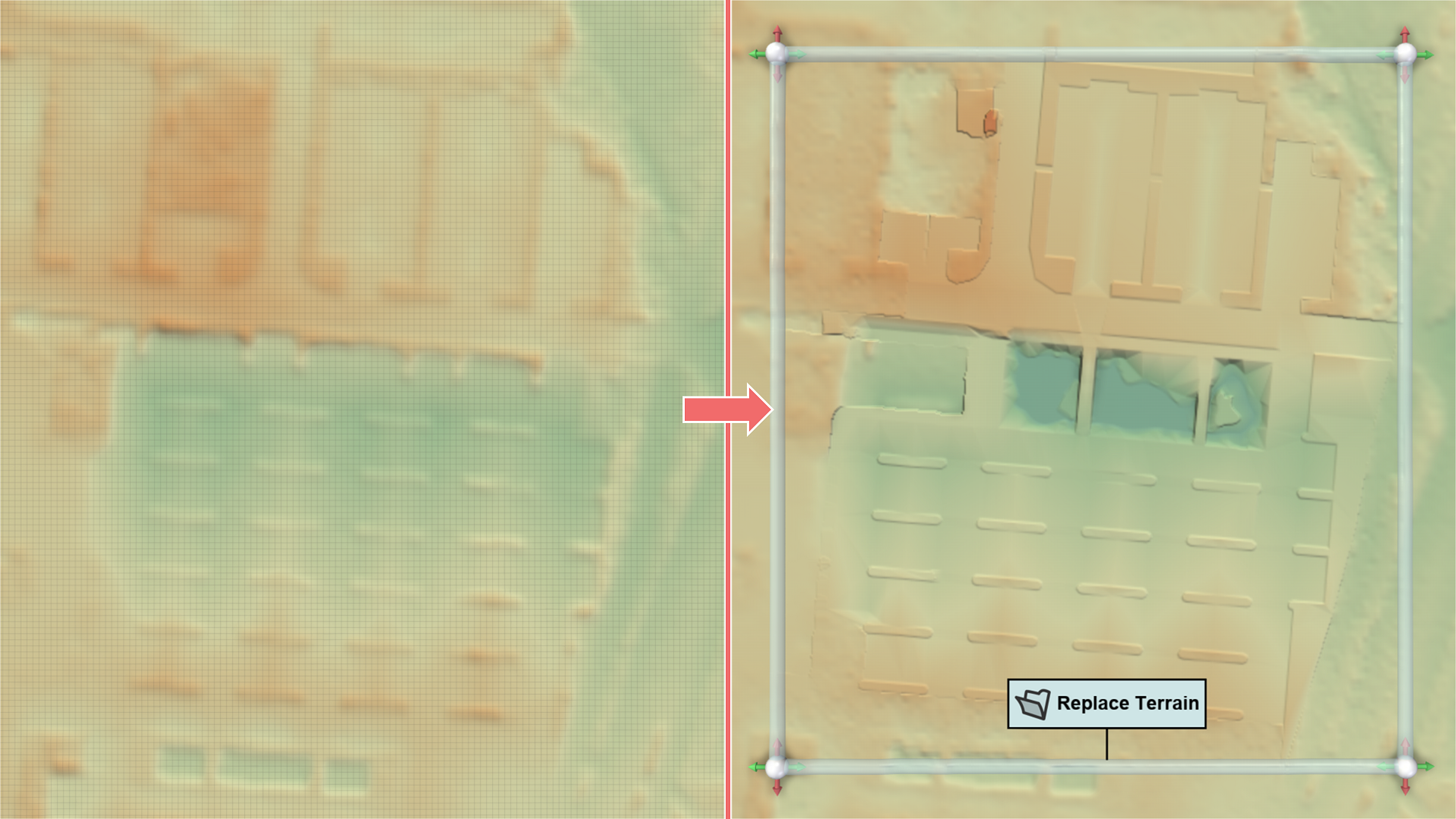
Hint: To visualize terrain elevation, enable color mapping for the terrain property Surface: Terrain Elevation in the Visualization Layer section of the Visualization Settings Panel.
The new data do not need to match the file type, grid structure, or coordinate system of the existing data, as they will be automatically resampled.
The mask polygon does not need to exactly match the valid region of the new data. Replacement occurs only in cells with valid elevation values. To create a mask that covers the entire valid area of the new data, Reset Mask to File Bounds in the Action Settings Panel can be used. Different data replacement actions can be assigned to an existing mask, allowing for the replacement of various types of data (e.g., terrain and landuse) within the same masked region.
Action Settings
Offset
Specifies a constant offset applied to all elevation values before replacement to account for relative elevation values.