
Decorative Domain
Creation Mode: Select Point on Terrain or Assign to File Bounds Polygon (not allowed on scenarios with start time > 0)
Purpose and Effect: Allows users to define the Decorative Domain, which specifies a region where terrain data is loaded at a low level of detail for decorative and orientation purposes. This domain can cover a large area, such as an entire state or country, to provide geographic context for the detailed data within model regions. The Decorative Domain also sets the outer boundary for the creation of the Maximum Simulation Domain.
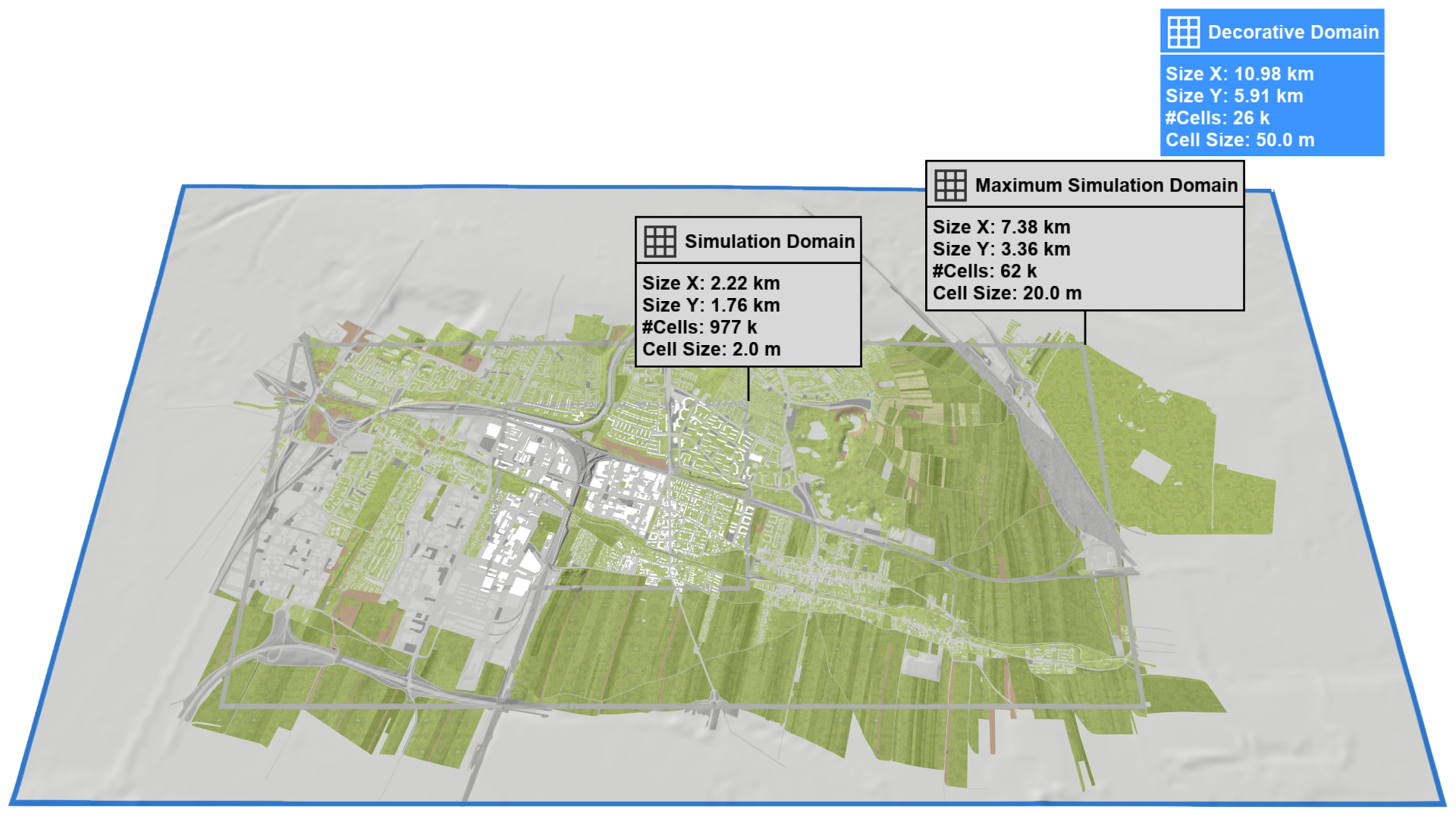
In scenarify, the Decorative Domain is the outermost of three nested domains (see Setup Domains). It encloses the Maximum Simulation Domain, which in turn contains the Simulation Domain. In an Empty Project, the Decorative Domain must be created first before the Maximum Simulation Domain can be defined within it. In a Base Model Project, both domains are managed automatically and cannot be created manually.
Hint The extents of the created domain can be downloaded as a shape file in the top right corner of the Action Tool Panel.
Creation Modes
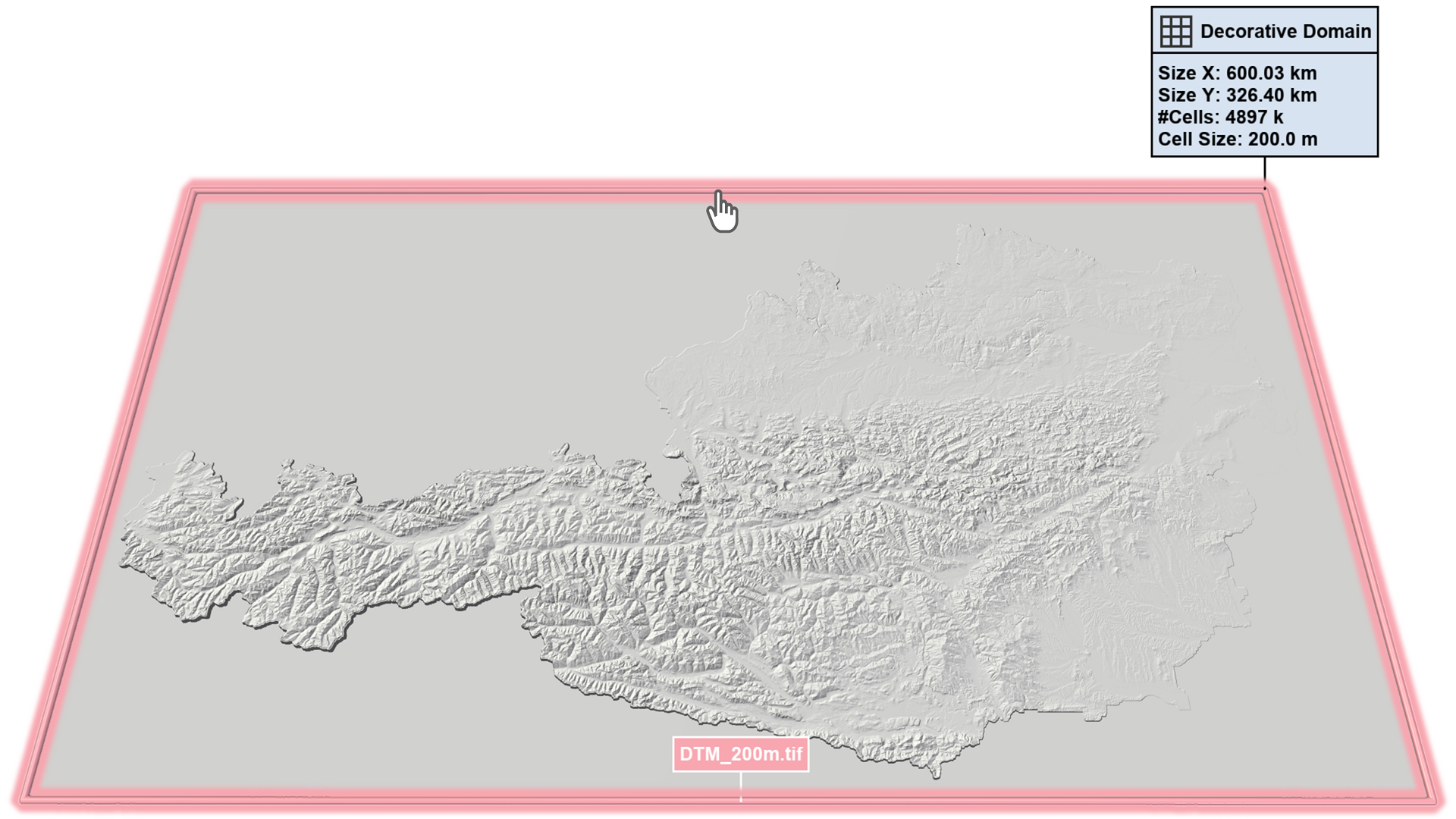
Assign to File Bounds
To create a domain that matches the spatial bounds of a loaded geodata file, the visual representation of the file bounds has to be selected. Users can display the file bounds by enabling the display of File Bounding Boxes in the Vector Mapping Layer of the Visualization Settings Panel or by using the Visual Preset Setup: Files.
Set Center Point on Terrain
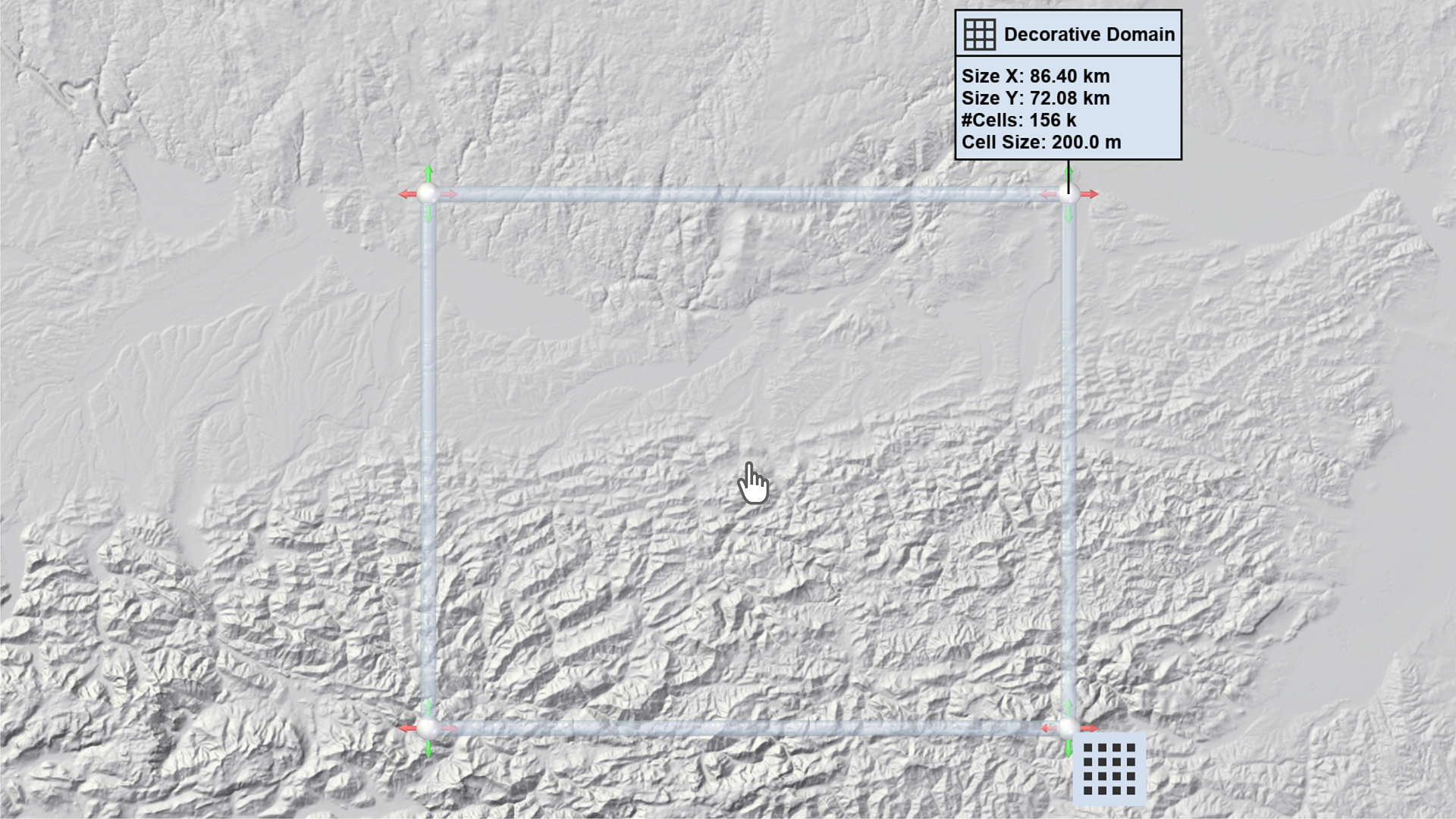
Users can select a center point on the terrain within an existing Decorative Domain. This will reset the domain to its default size, which can then be adjusted using the manipulation handles, as shown in the Quick Start guide.
Action Settings
Cell Size
Specifies the edge length of a square cell in the Cartesian grid, controlling the spatial resolution of terrain data surrounding the Decorative Domain. Non-matching terrain data will be resampled. The effect of this parameter is purely visual and has no influence on the simulation.