Global Simulation Settings
Simulation settings control model and simulation parameters that are valid for the entire model area, as opposed to actions, which have a local effect only. They can be found in the Simulation Settings Panel, at the bottom of Scenario Setup Pane:
The settings can be roughly divided into two classes: those related to setting up input files and those for configuring model components. Use the Settings Search in the Application Bar to quickly find specific settings.
The settings are organized into categories:
Coordinate System
Define the main coordinate system for your project, ensuring that all geo-referenced data aligns correctly. You can manually enter the coordinate system as a string or import it from a geo-referenced file.
Terrain
Manage settings related to loading Digital Terrain Models (DTM) from files to create an accurate base for your simulations.
Landuse
Load landuse types from shape files to derive model parameters such as terrain roughness or infiltration coefficients. Landuse data also enhances the visual context within the 3D scene.
Buildings
- Footprints: Essential for the surface flow model, building footprints can be extracted from landuse data or loaded from a shape file.
- 3D Models: Improve visual fidelity with higher detail building models.
- Roofs: Define roofs using shape files or derive them from footprints to incorporate roof water in the model.
- Gateways: Import gateways from a shape file to allow water to pass through buildings, such as into courtyards.
Domain Setup
- Invalid Zones: Define zones where simulations should be disabled.
- Modeling Region: Set the outer bounds of the modeling region and optionally disable simulations outside of it.
- Catchments: Load hydrological catchments from a shape file and optionally disable simulations outside of it.
- Sink Polygons: Represent larger rivers in heavy rain simulations. To avoid intermixture with river floods, water is drained into sink polygons.
Surface
- Roughness: Specify hydraulic roughness and enable advanced features like water-depth-dependent roughness.
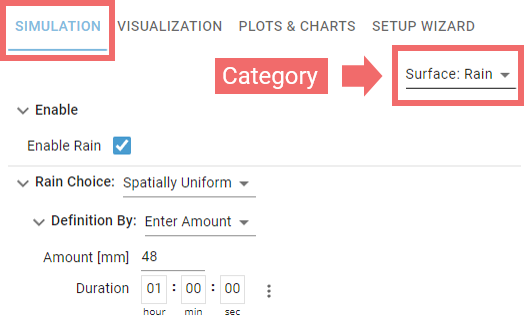
- Rain: Define various precipitation types, including time-dependent and spatially non-uniform options, with parameterization directly within the tool or via file import.
- Interception (Zones): Manage vegetation-based rainwater storage before it reaches the surface, with parameters based on landuse types.
- Simulation Model: Select settings for the shallow-water simulator, including solver accuracy.
Soil
- Infiltration Zones: Define soil infiltration zones and their parameters based on landuse types or imported soil maps.
- Impermeable Zones: Associate impermeable zones with landuse types or import them from files.
- Infiltration Model: Choose the underlying infiltration equations for the simulation.
Rivers and Streams
- Axis Lines: Import and pre-process river axis lines for usage in river flood simulations.
- Bank Polygons: Define river bank polygons by extracting them from landuse data or importing them from a file.
Barriers
Import and configure existing (or planned) water barriers, such as dikes and mobile walls.
Sewer Nodes
Import and manage various sewer network node components like junctions, outfalls, and storage units. Configure their parameters and behavior within the model.
Sewer Links
Import and manage the link components of the sewer network, including conduits, weirs, pumps, orifices, discharge controllers and discharge restrictors. Configure their parameters and behavior within the model.
Sewers
Handle other sewer network aspects by importing storm drains and sewer node catchments, and configure general settings for the sewer network simulator.
Hint: Use the Settings Search Widget on the right side of the Application Bar to quickly access settings or actions using keywords.