
Structure Removal
Creation Mode: Draw Line on Terrain (supports loading from file)
Purpose and Effect: The Structure action together with the Structure Removal action allow you to cut out incorrectly represented structures, such as underpasses and bridges, from the terrain. These actions are designed to eliminate straight sections of structures. If you need to remove structures with more complex shapes, consider using the Complex Structure Removal actions instead.
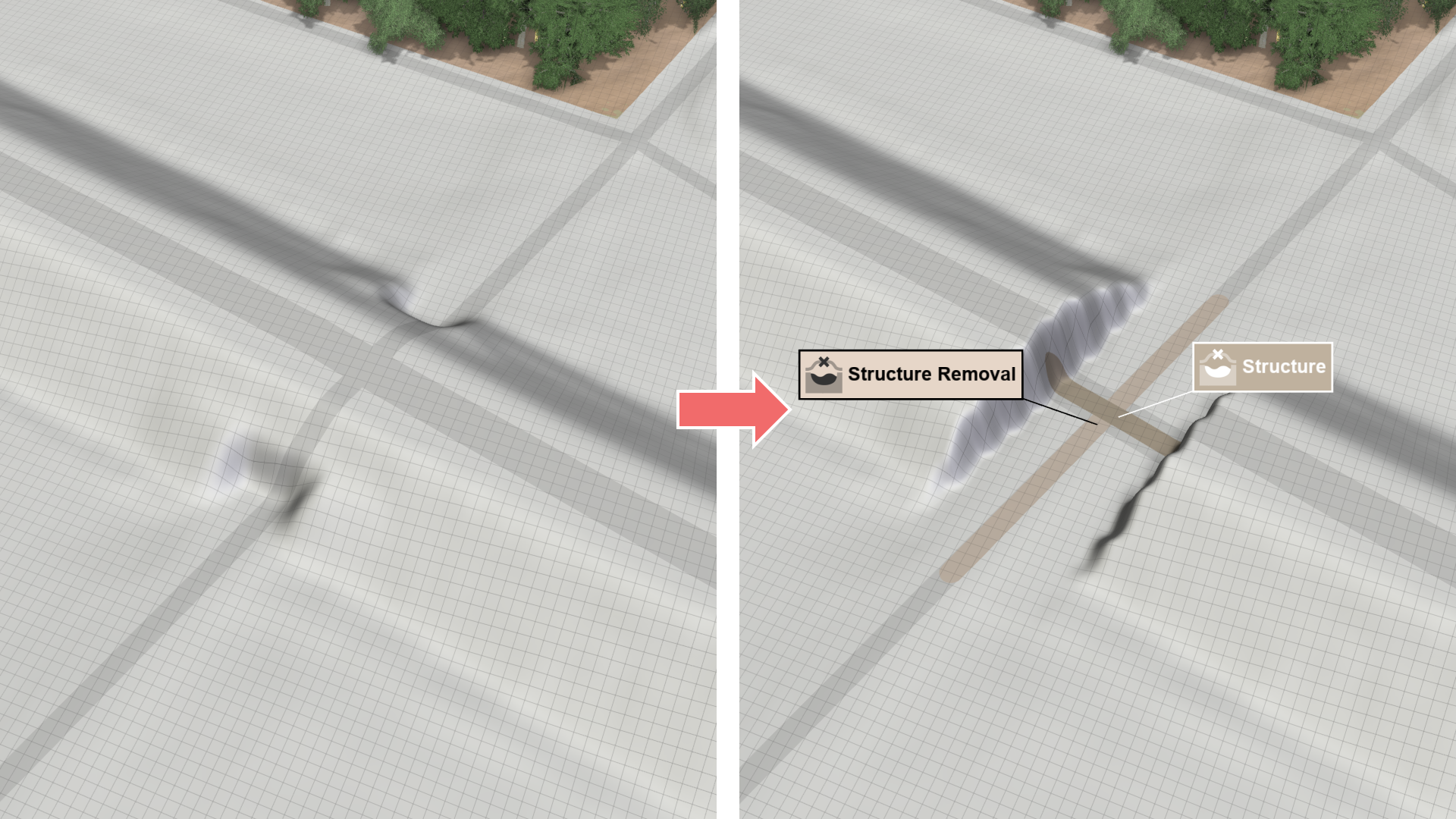
| Draw two lines to remove a structure from the terrain: | |
|---|---|
| 1. Use the Structure action to draw a line along the structure you want to remove. The line can be curvy and does not have to be a straight segment. | 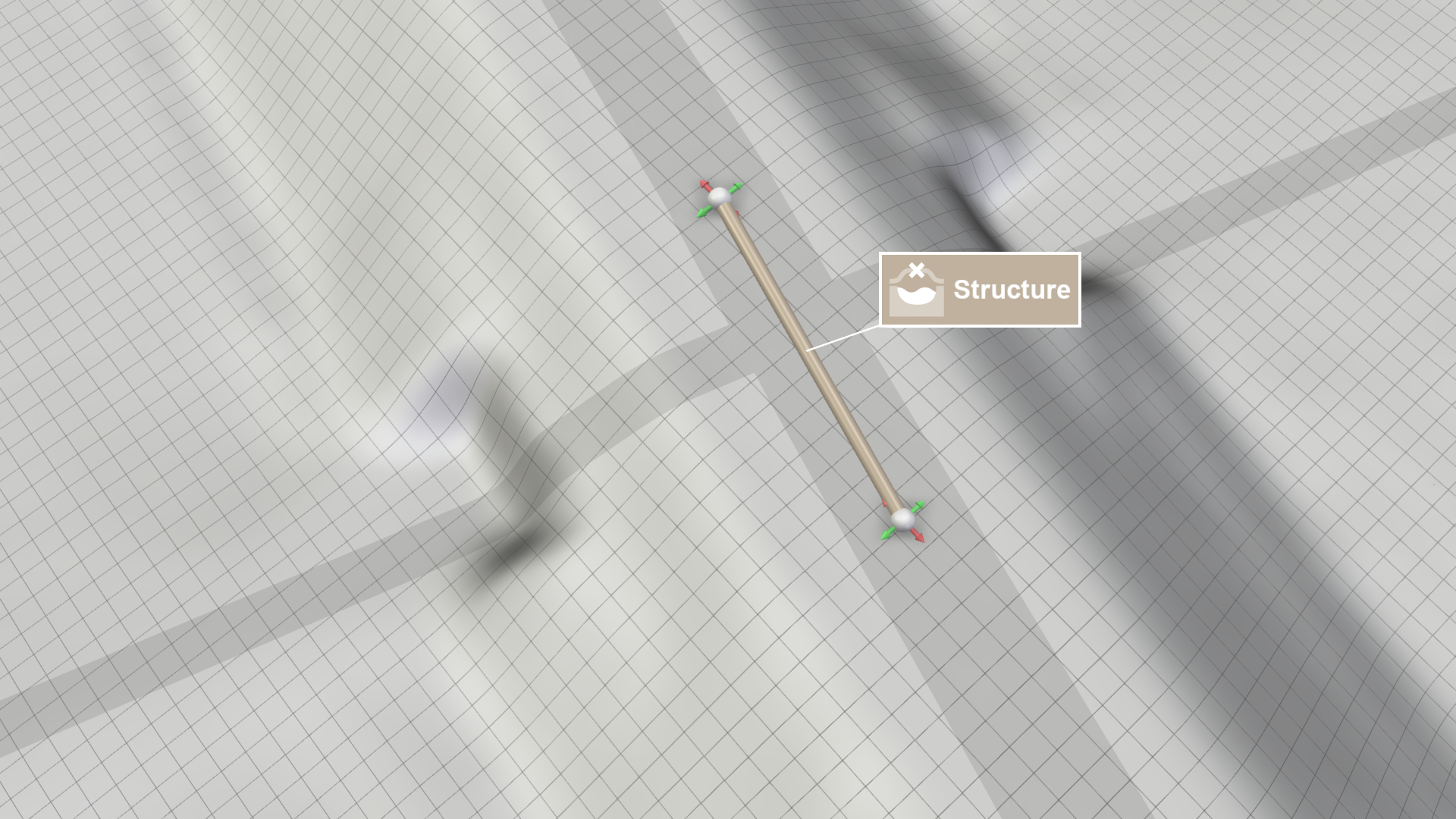 |
| 2. Use the Structure Removal action to draw a line intersecting the structure line to indicate the direction of removal. The intersection angle does not need to be orthogonal. | 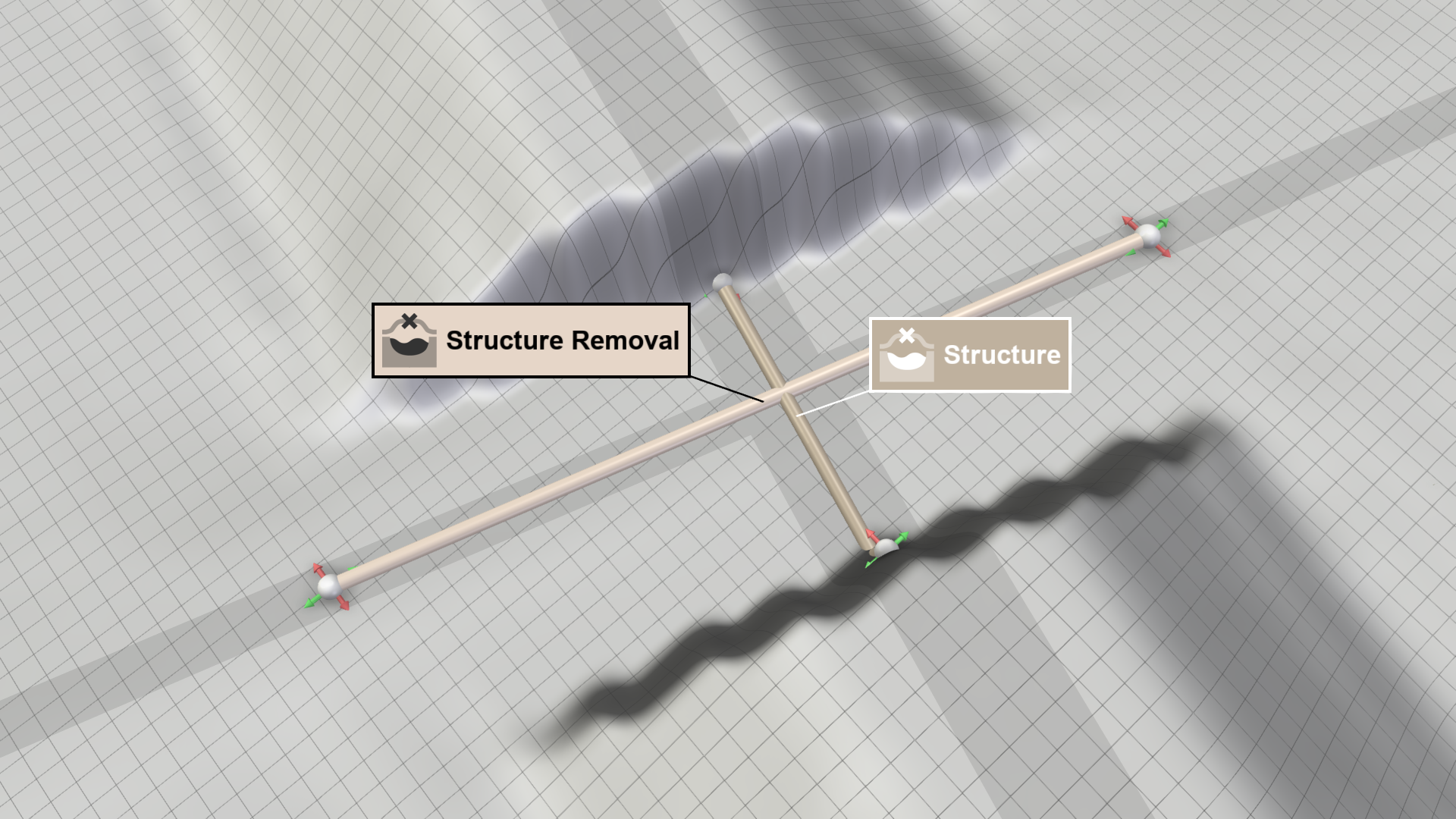 |
The Algorithm
For this terrain modification, the elevation values in the area along the removal line, with a width of the structure line, have to be determined. The removal line is repeated along the structure line, and these lines are used to interpolate the elevation values between their endpoints.
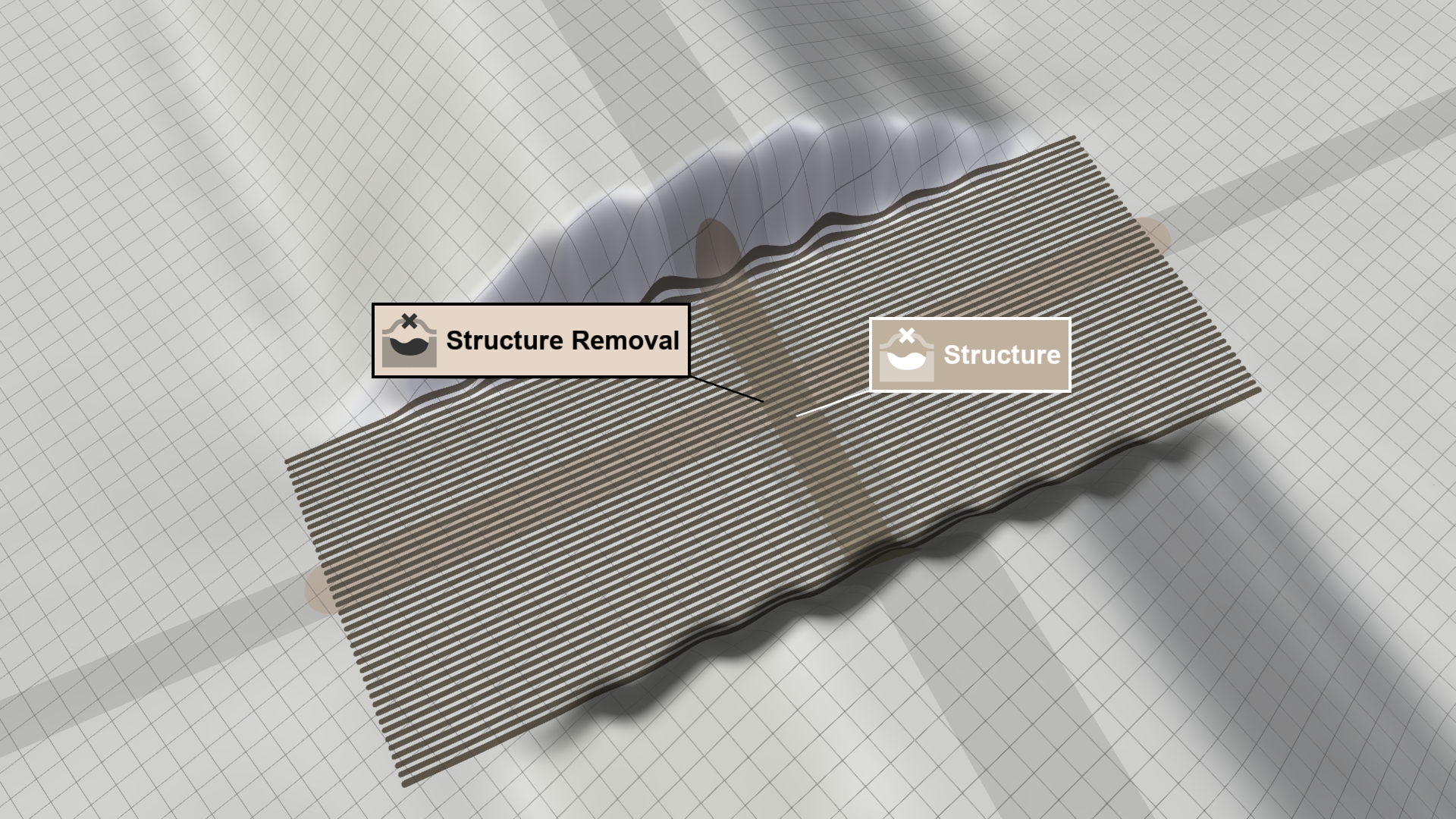
Hint: In the Action Tool Panel of the Structure Removal you can enable the display of all interpolation lines with Show Interpolation Lines, as shown below.