Roof Water
Rain falling onto roofs generates roof water. The water then may drain into green roofs, or it may be collected and redirected to a sewer network. If the capacity is exhausted, spilling occurs.
Roof Water Model
Roof runoff can be reduced by assigning a Green Roof action to the roof, as part of the roof water is then stored in the roof. The remaining water, the roof runoff, is directed to the sewer network, to a custom outlet and to 2D surface cells.
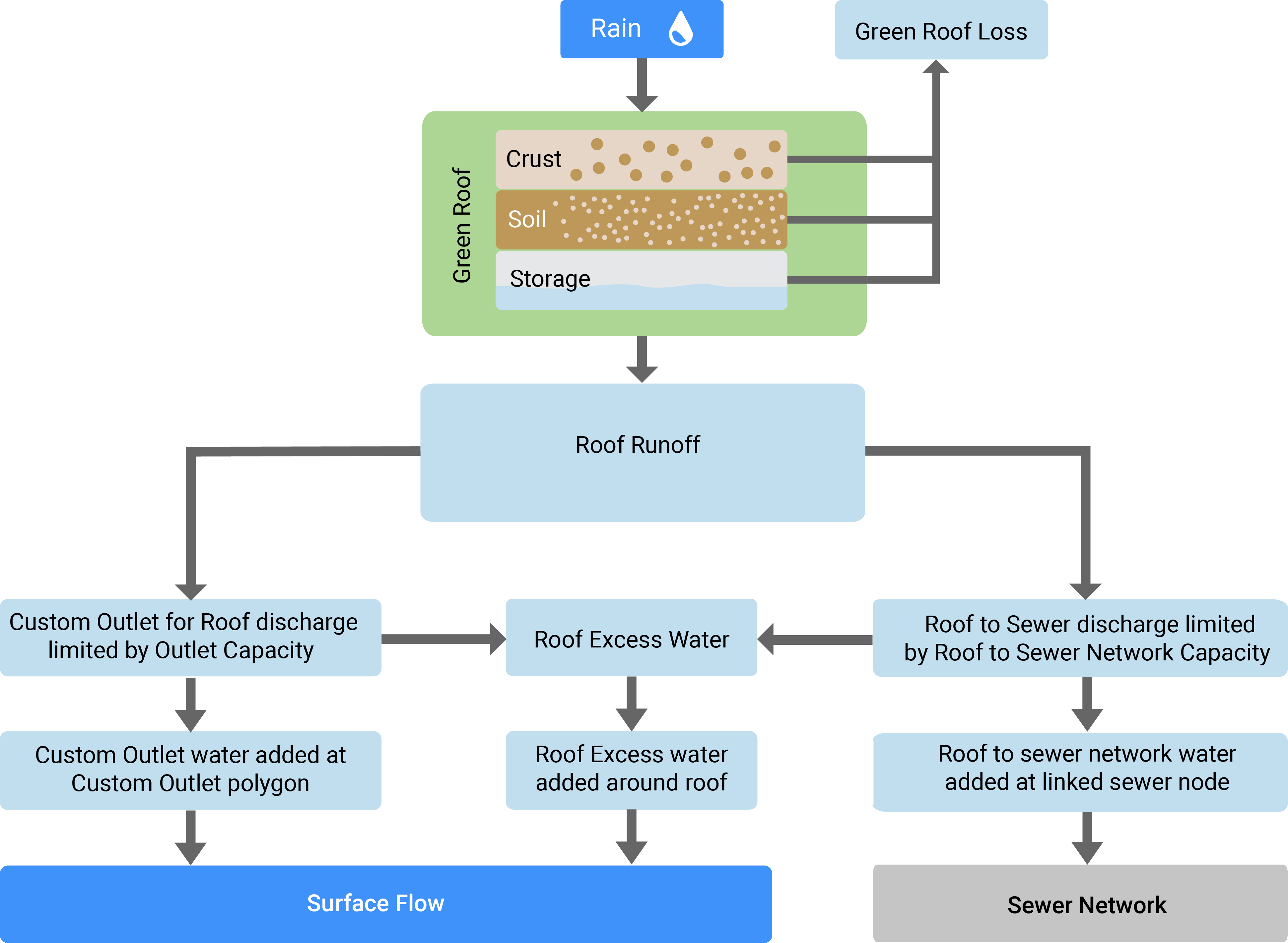
The splitting behavior is controlled by the respective Buildings: Roofs simulation settings. For example, a fraction of the roof water is directed into the sewer network. How much enters a present sewer network is specified by the simulation settings Roof To Sewer Network Capacity and Total Inflow Capacity per Node. If roof to sewers capacity is exceeded the spilling over around the roof (roof excess). If the node inflow capacity is exceeded, the excess water is spilling over at the linked sewer node (node excess). In case of incomplete data or missing sewer data, a virtual sewer network can be assumed to absorb a fraction of the roof runoff determined by Roof To Assumed Sewer Network Capacity.
Roof water can also be directed to a custom outlet with the Custom Outlet for Roof action. If the outlet capacity is exceeded, it again spills over around the roof.
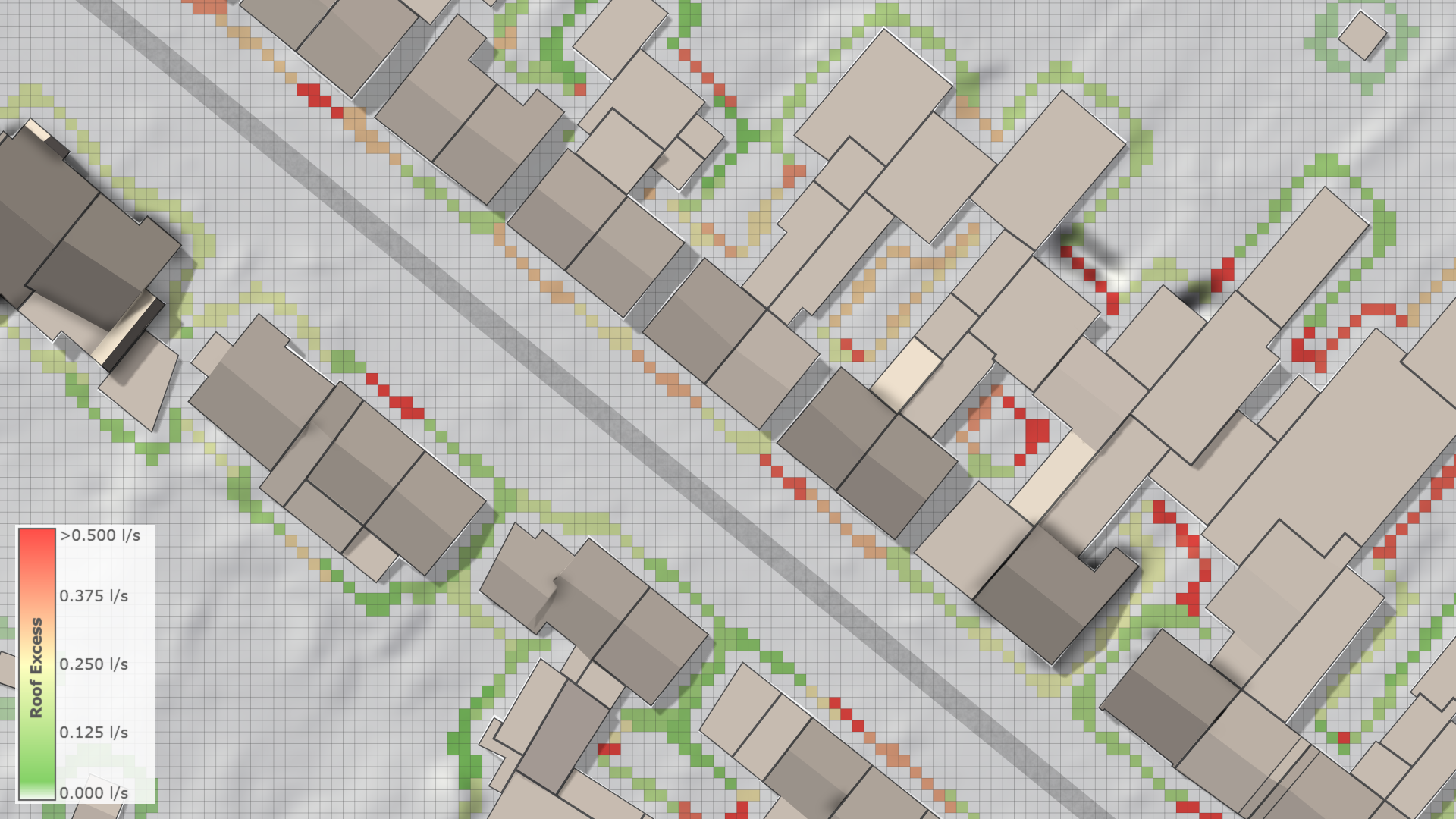
Excess water added to surface cells around the roof can be visualized as terrain overlay: