
Bridge
Creation Mode: Draw Polygon on Terrain (not allowed on scenarios with start time > 0; supports loading from file)
Purpose and Effect: Allows users to add a bridge across a waterway with an optional terrain cut-out. A bridge is modeled as a bridge deck with a culvert beneath. The drawn bridge polygon outlines the extents of the bridge deck and should be rectangular for best results. It has to intersect with a waterway line (e.g., blue line shown below) on two opposite sites, representing the flow axis beneath the bridge, which can be provided by the Bridge Waterway action, the River Line action, or the river lines from shape files (see Exploiting River Lines and Bank Polygons), with precedence in that order.
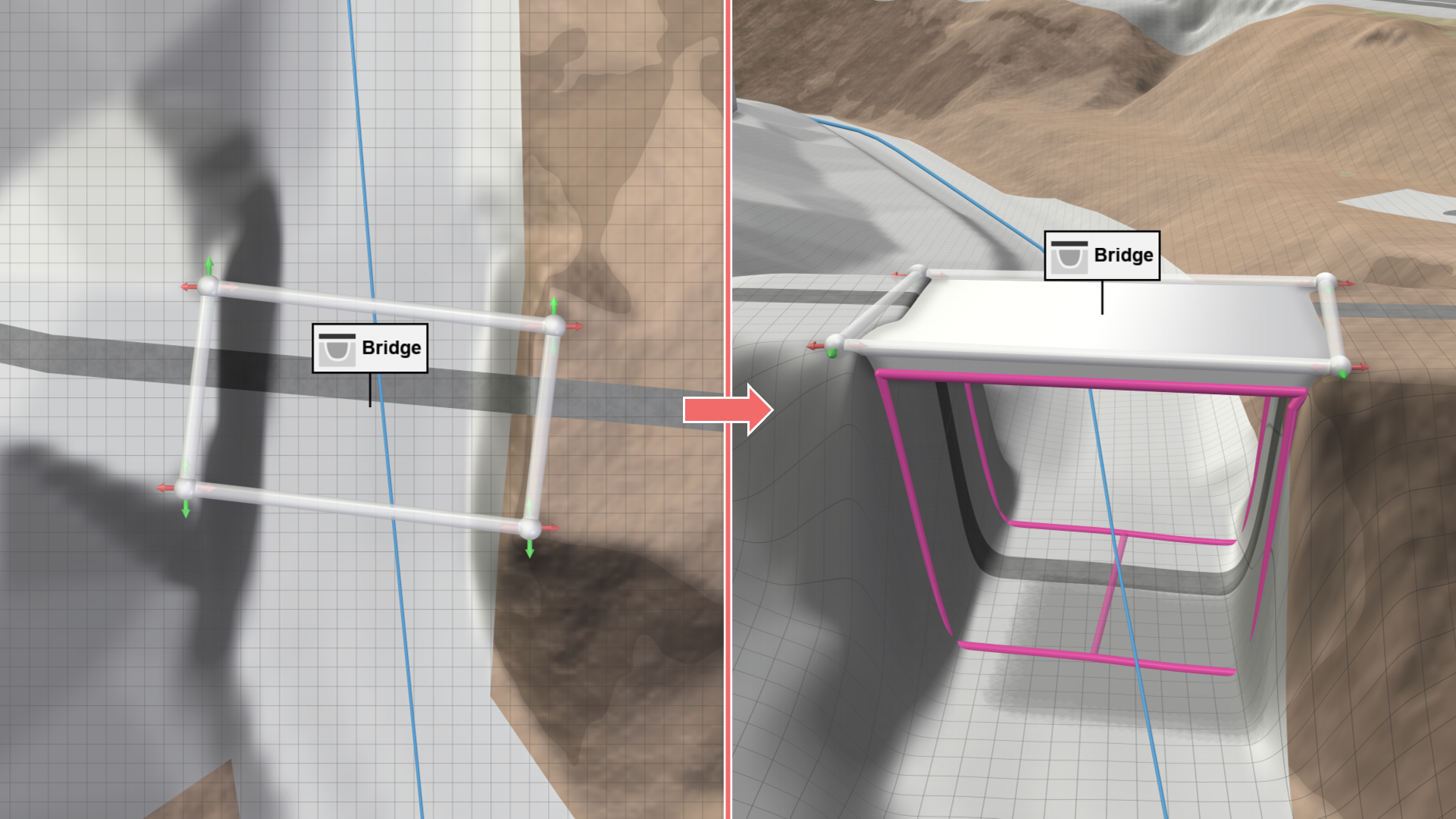
Bridge Deck
The top surface of the bridge deck, outlined by the bridge polygon, is placed on the terrain levels of its corner vertices, unless a measured Bridge Top Level is specified in the Action Settings Panel for a horizontal bridge. The bridge deck extends downward according to the defined Bridge Deck Thickness and is internally converted into an overtoppable wall, represented visually as a solid mesh. If no intersecting waterway line is detected for the bridge polygon, the bridge deck is not created.
Hint: Visibility of the bridge deck mesh is controlled by Show Mesh in the Display Settings in the Action Tool Panel.
Culvert
Water flow beneath the bridge deck is modeled with a culvert, with cross-sections automatically derived from the terrain. The Reduction Coefficient for discharge can be adjusted in the Action Settings Panel to account for flow resistance and blockages.
The culvert is visually represented by a pink line connecting the cross-sections at either end of the bridge. If these elements are not visible, no culvert has been created and water flow beneath the bridge is not modeled. This may occur if the bridge deck extends below the terrain or if the terrain is uneven and would require multiple disconnected culverts. In such cases, a warning is displayed. The proper functioning of the culvert can be verified using the Culvert Inspection.
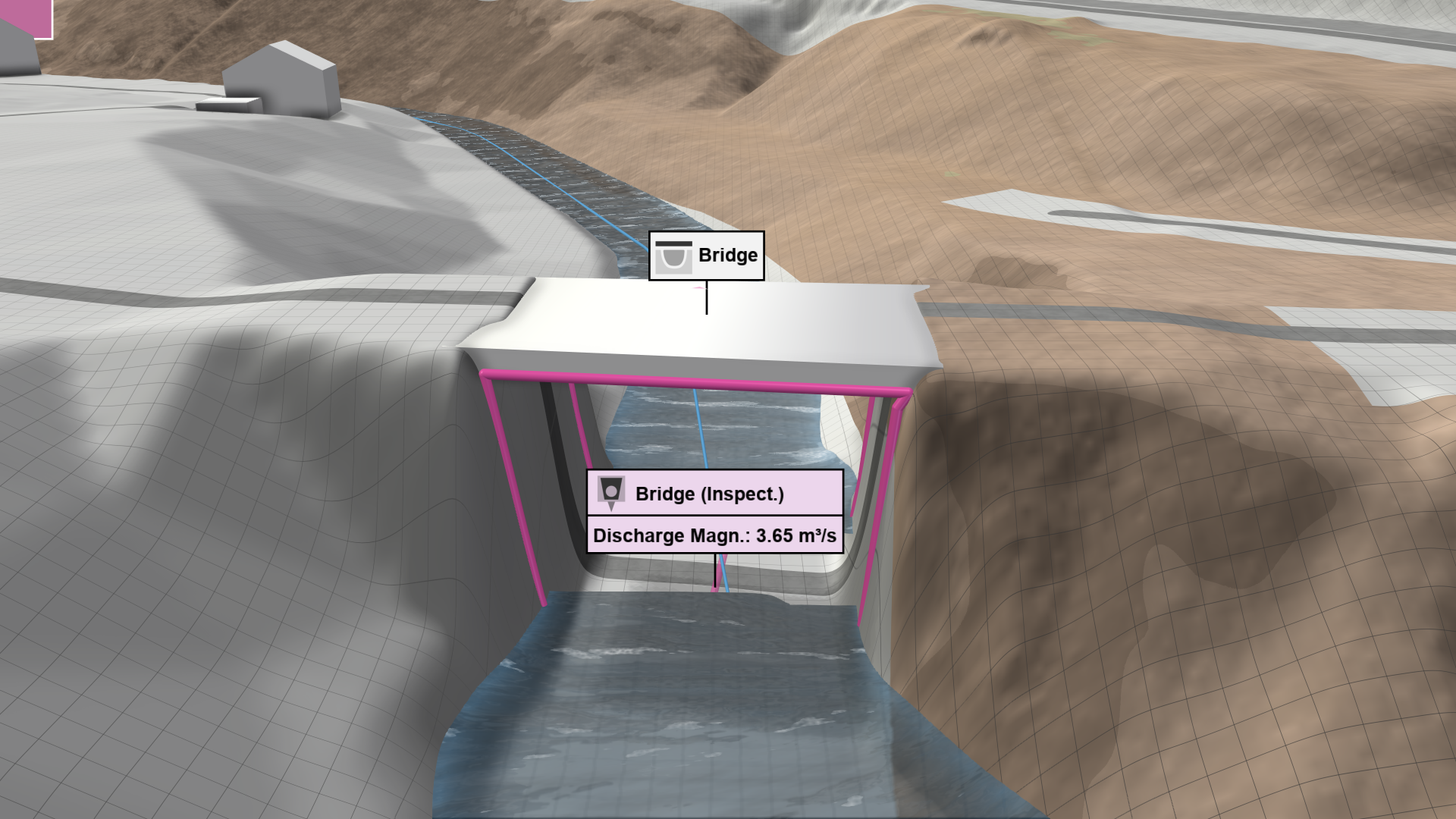
Terrain Cut-Out
An automatic terrain cut-out beneath the bridge can be enabled in the Action Settings Panel to generate more reliable culvert cross-sections and to allow for the placement of bridges already incorporated in the terrain model, as illustrated below. The extent of the cut-out can be controlled using the Terrain Cut-Out Extension along the waterway line and the Terrain Cut-Out Width Reduction orthogonal to it.
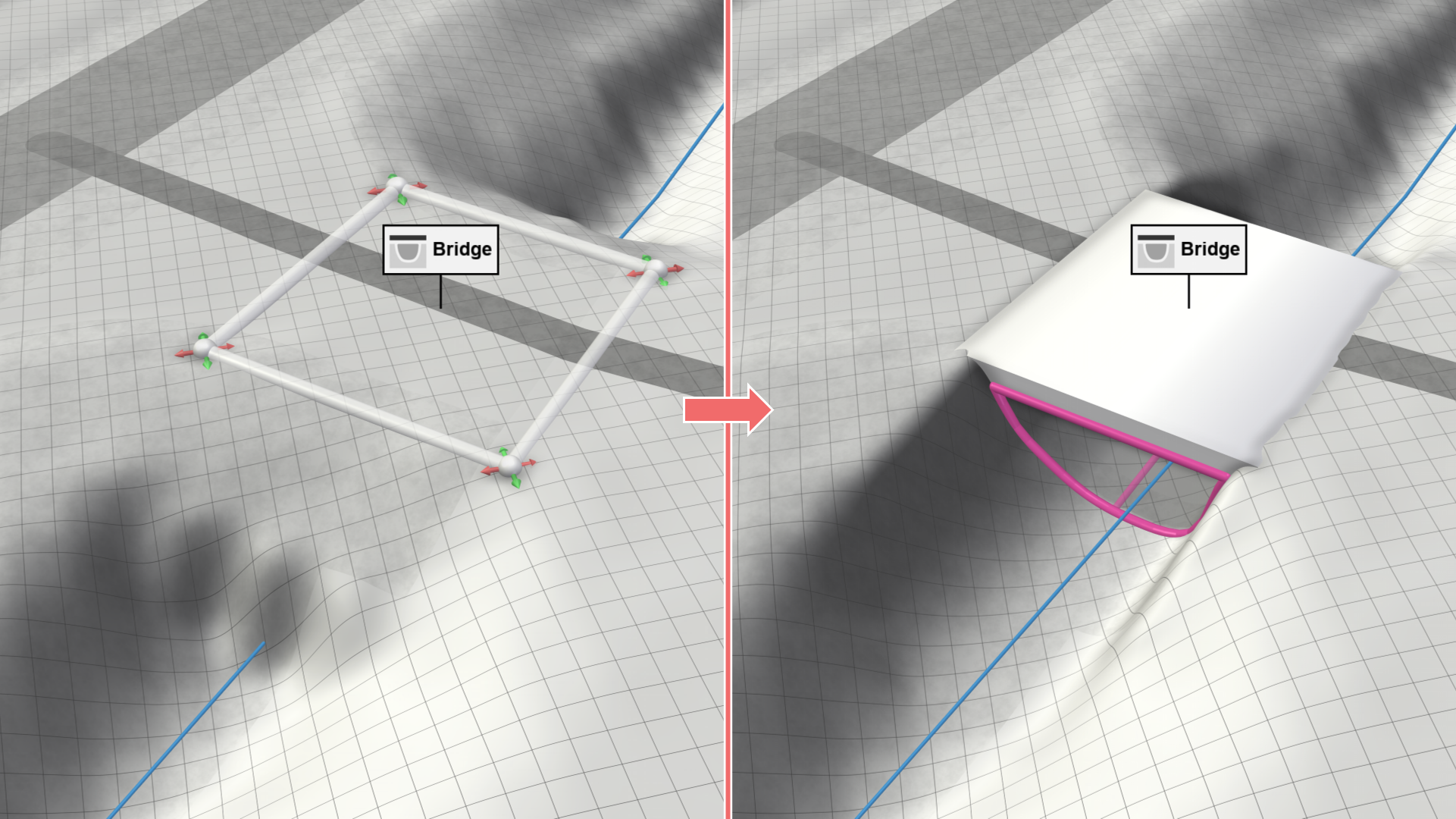
Hint: A more adjustable terrain cut-out is possible with the Structure Removal action.