Initial State
The initial state is a crucial component in setting up a river flood simulation as it defines the starting conditions from which the simulation begins. In scenarify, the initial state can be established either via a constant water layer, from raster files or from inflow and outflow water levels. This first initial state can be combined with multiple water filling actions.
Currently, scenarify only supports a static initial state. This means only initial water levels, but no velocities can be set.
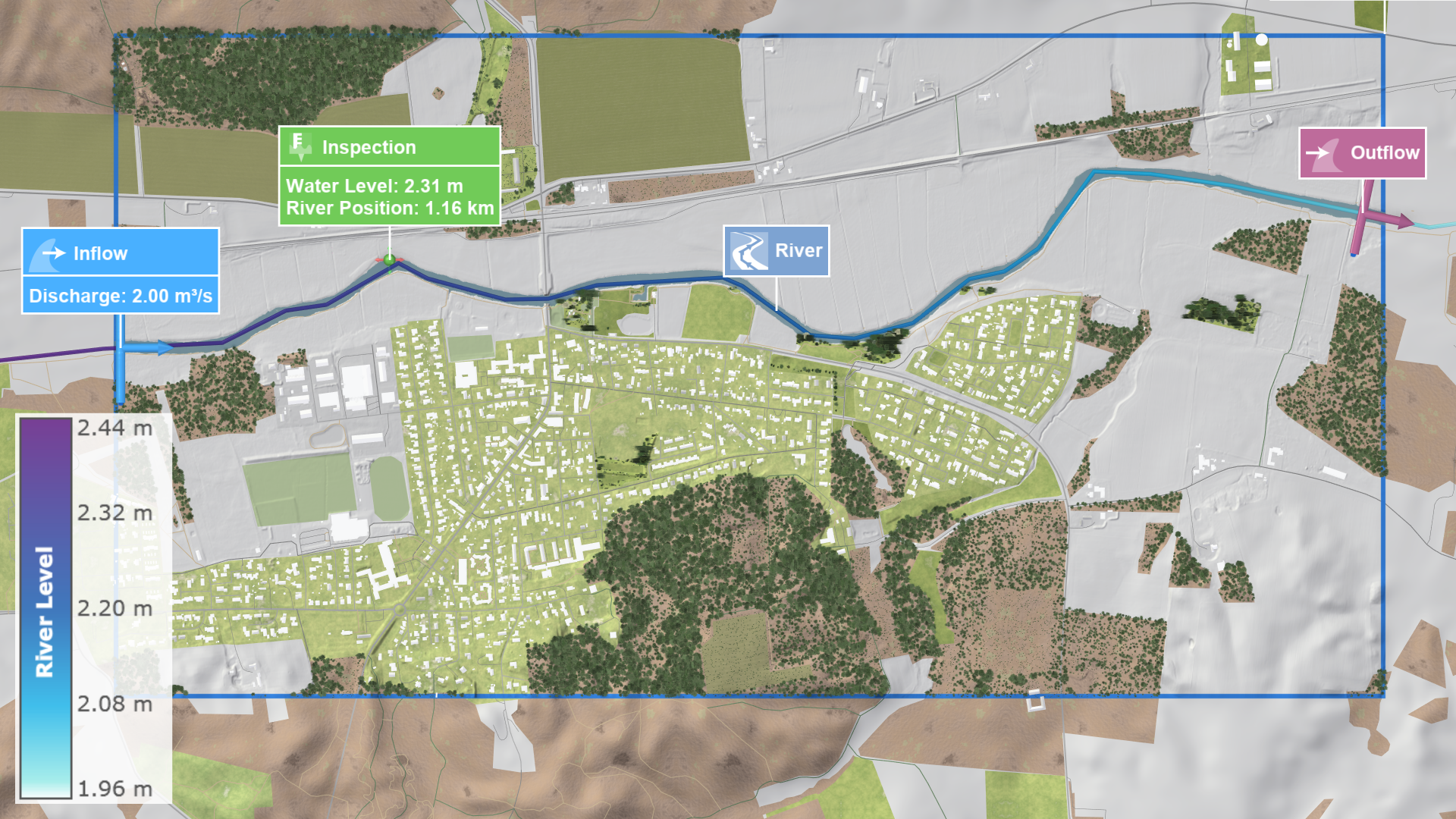
From Inflows and Outflows
Defining the initial state from inflows and outflows leverages the longitudinal profile along river lines. This approach uses the initial water levels of the inflows and outflows and interpolates them along the river line with a sampling distance roughly equal to the simulation grid's cell size. These positions with the corresponding water levels are then used as seed points in the water-filling algorithm. The initialization from inflows and outflows results in a gradient in the water levels along the river line, ensuring a more realistic initial state than a constant water level plane.
From Raster Files
Using one or multiple GeoTIFF (Geographic Tagged Image File Format) raster files is one of the primary methods for setting the initial state. This raster file has to contain the water level data. By importing a GeoTIFF file, you can directly integrate detailed spatial data into your simulation which is particularly useful for initializing the initial water levels inside a river.
Hint: To achieve a close approximation of the initial state for river flood simulations, use the exported GeoTIFF raster file of an initialization simulation run. This approach captures river flow characteristics, in contrast to an initial state from inflows and outflows, ensuring a more realistic and detailed initial state for riverine flooding.
Water Filling Actions
The Water Filling action is designed to fill up basins with water. They utilize a water-filling algorithm to propagate user-defined water depth to neighboring cells. The above choices for the initial state can be combined with one or multiple Water Filling actions. By initializing the state with Water Filling actions, one can model how specific initial water levels change the flow dynamics. This allows for fast interactive scenario-based simulations. Applications include pre-filled lakes and rivers to simulate sudden releases from reservoirs or breaches in levees.
Water-Filling Algorithm
The algorithm starts from specified seed points, either the inflow and outflow river positions or the locations of Water Filling actions. Then, the algorithm iteratively spreads out to cells in the 4-neighborhood of the seed points. Water is propagated only to valid cells in the neighborhood and if the sampled water level at the center of the middle cell exceeds the terrain and wall levels of the adjacent cells. The sampled water level corresponds to the interpolated water level at the closest river line position of the current cell in the case of inflows and outflows. For Water Filling actions, the sampled water level is constant and corresponds to the sum of the specified water depth and the sampled terrain level at the action location. This iterative exploration enables the water-filling algorithm to intelligently stop at walls, invalid cells, and higher terrain elevations. The input data to the algorithm is always kept in sync with the current scenario setup, thus respecting any user-made modifications in this regard.