
Storm Drain
Creation Mode: Select Point on Terrain
Purpose and Effect: Allows users to add storm drains to supplement incomplete sewer network data and plan for future expansions. A storm drain introduces a local inflow of surface water into the sewer network at a rate defined in the Action Settings Panel.
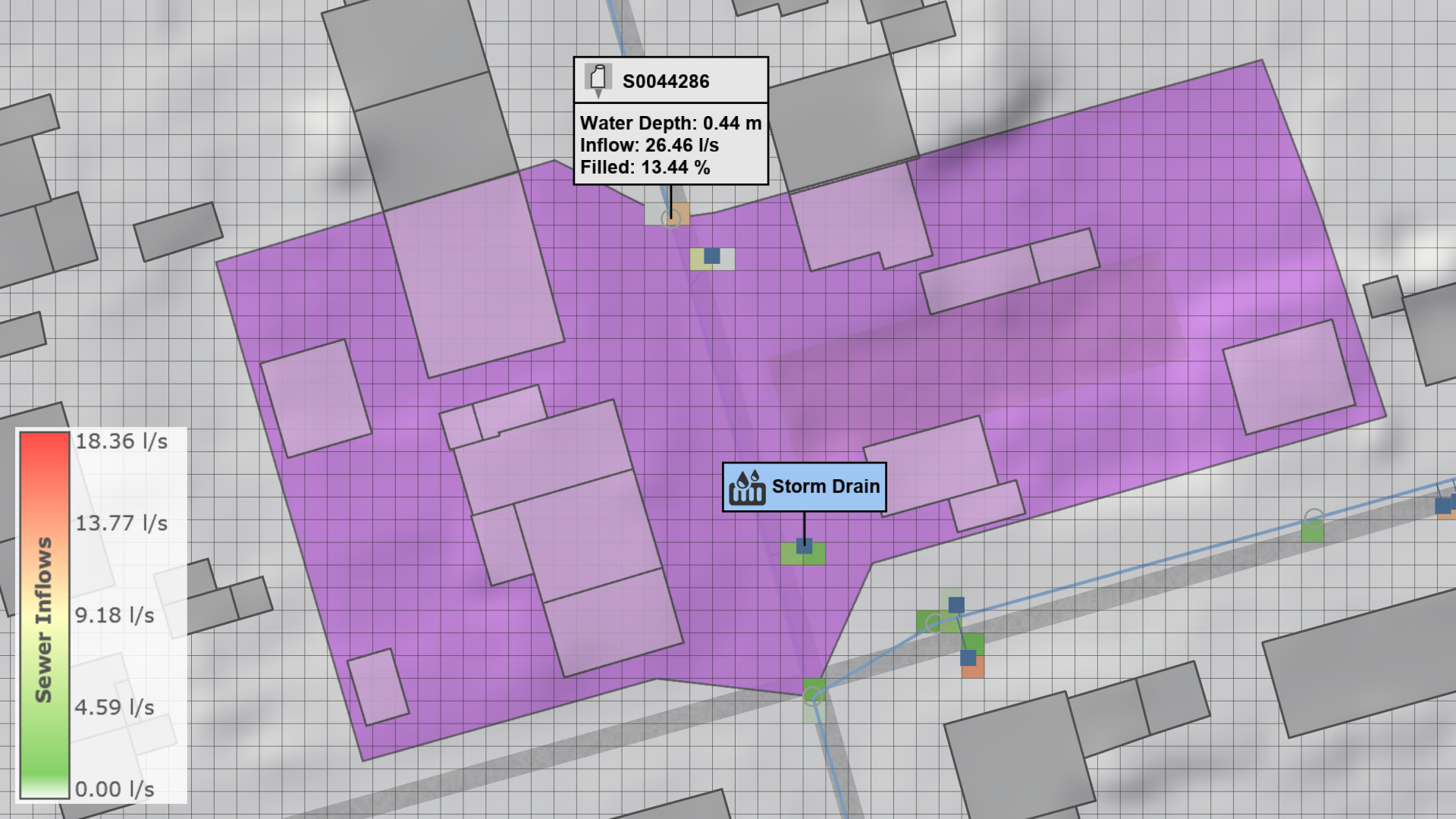
When a storm drain is placed within the catchment area (purple in the above image) of a sewer junction, it is automatically associated with that junction and connected to the nearest conduit. If no catchment areas are provided, the storm drain is connected to the nearest conduit only if it is within the maximum distance specified in the Sewer: Storm Drains settings found in the Simulation Settings Panel.
Hint To visualize storm drains and sewer inflows, the Visual Preset Surface Inflows of the Sewers category can be used. The catchment of a sewer junction node can be visualized with the Sewer Node Inspection.