
Hole Repair
Creation Mode: Draw Line on Terrain
Purpose and Effect: The Hole action together with the Hole Repair action allow you to fix areas in digital elevation models (DEMs) that contain invalid values. These values result in broken terrain with holes, which can be repaired by applying both actions together.
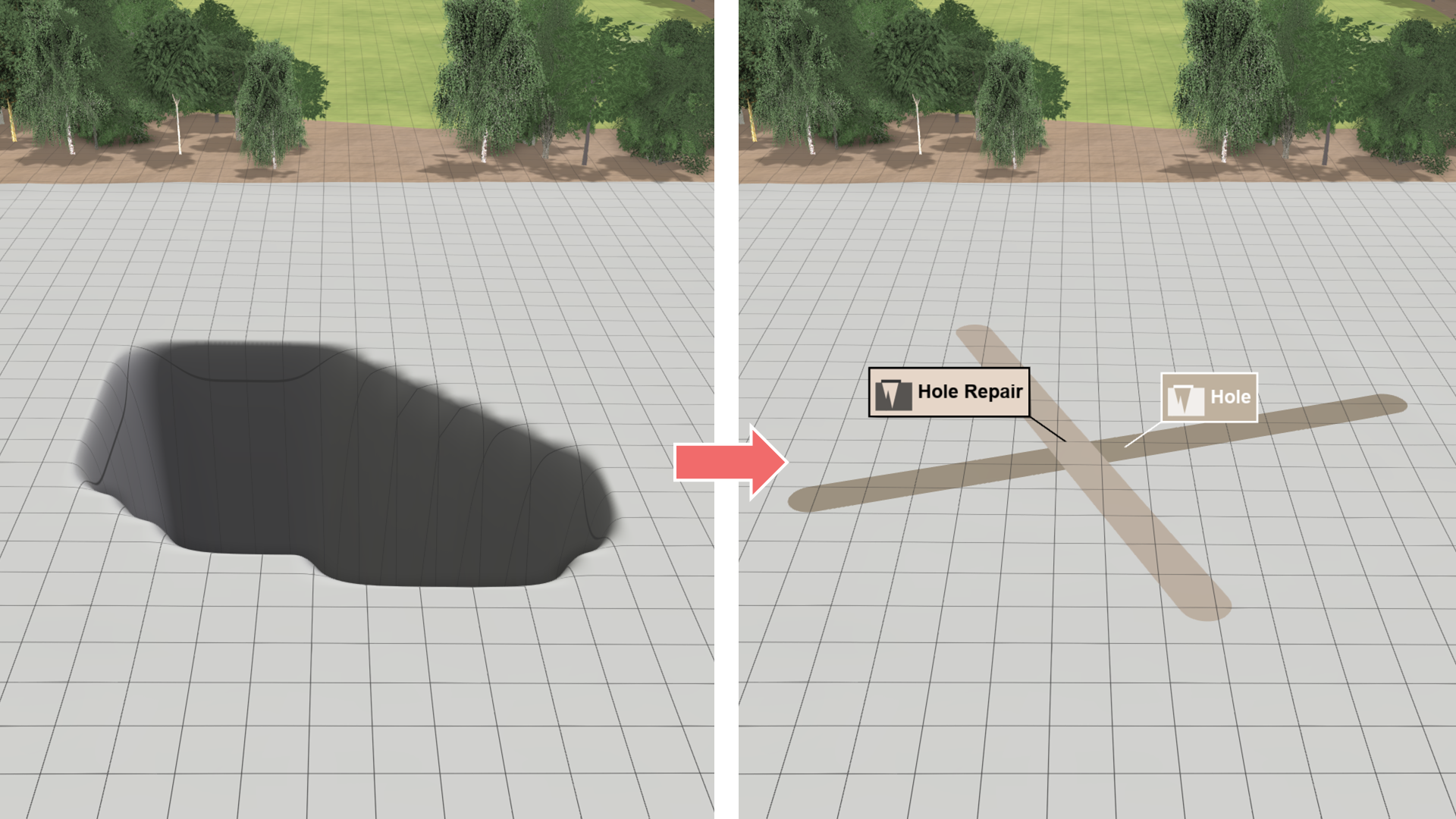
Draw two lines to repair holes in the terrain:
- Use the Hole action to draw a cross-section line through the affected area.
- Use the Hole Repair action to draw an intersecting repair line like a patch.